Every post has a job. Every campaign builds on the last.
Instead of disconnected posts, launches and boosted ads, build a system where every piece of communication has a job, and every campaign builds on what came before. Plan your strategy, story, offers, campaigns, content, emails and reviews on one visual map your whole team can see.
You don't have a content problem.
You have a disconnected marketing system.
Your strategy lives in a doc nobody opens. Campaign ideas live in someone's head. Posts are in one tool, emails in another, results in a spreadsheet you update when you remember. Each piece works. Nothing connects.
What actually happens
What should happen
Marketing activity without a marketing system.
Every launch starts from zero. You never learn what actually worked. And the bigger story, the reason you started in the first place, gets buried under the need to sell the next thing.
One map. Seven layers. Every dot connected.
Content System Map gives your marketing the structure a strategist would draw on a whiteboard, and keeps it alive while you work. Each layer has a job, and every item links to what feeds it and what it feeds.
Why and for whom
Decide what matters this quarter and who you're talking to.
Objectives · audience briefThe story
Choose the ideas you want to be known for.
Story territoriesWhat people say yes to
Programmes, products, guides and lead magnets.
Course · guide · membershipThe concept
Turn a story into a concept with a goal and a window.
Brief · goal · datesAcross channels
Plan every reel, essay, video, page and ad, and its job.
Instagram · YouTube · Substack · adsJourneys
Map the sequences and triggers that turn attention into relationships.
Welcome · nurture · launchReview & iterate
See what worked and feed it into the next campaign.
Monthly · quarterly reviewsLearning feeds back into strategy, so each quarter starts smarter than the last.
From a blank page to a quarter that compounds.
Two dates per course drive the whole plan: when the first content goes out, and when the programme launches. This is how a 12-week campaign looks in the calendar.
Everything you need to see the whole system, and nothing you don't.
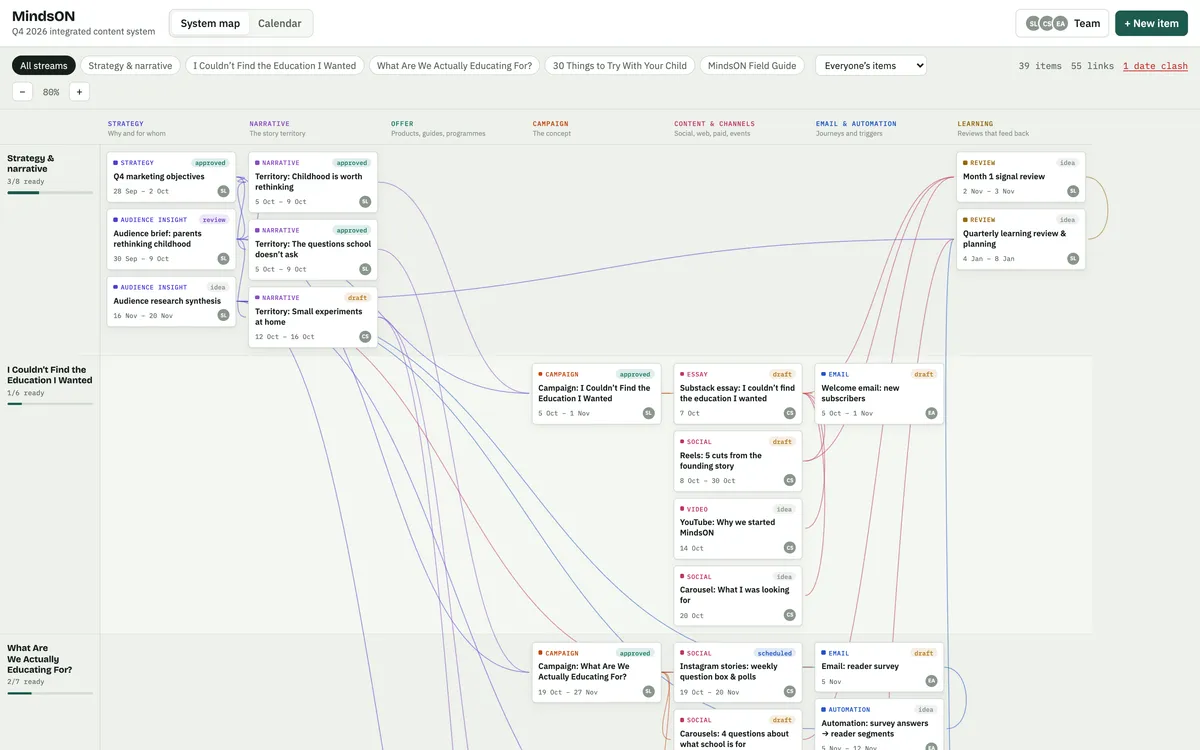
See how everything connects, at a glance.
Every course or project gets a row. The columns run from strategy and story, through the offer and content, to what you learn. Lines show what feeds what.
- Hover any item to trace everything upstream and downstream
- Filter by campaign or by owner
- See how ready each campaign is, and what’s next, on one page
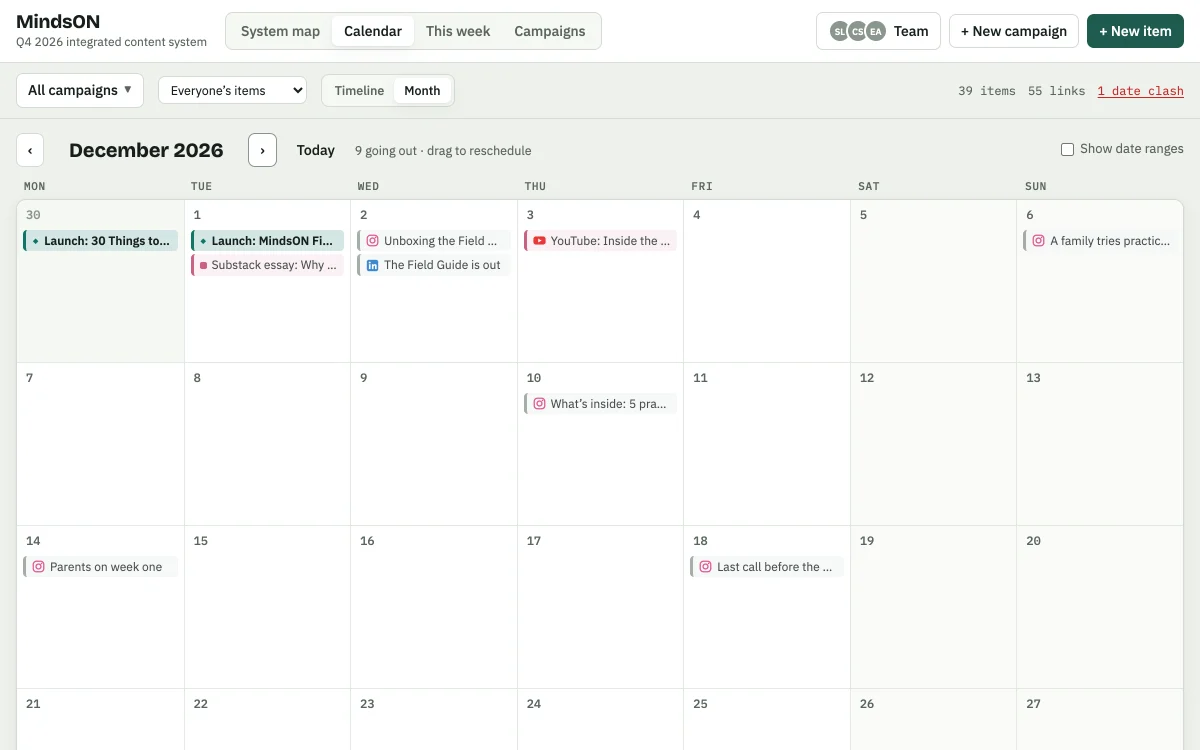
See every post on the day it goes out.
Switch between a month calendar with each post and its platform’s icon, and a timeline of the whole quarter with the dependencies drawn in.
⚠ “Welcome sequence starts 9 Nov, but the landing page it links to isn't finished until 13 Nov.”- Drag a post to another day to reschedule it
- Launch days marked on the calendar
- One line per campaign when you want the big picture
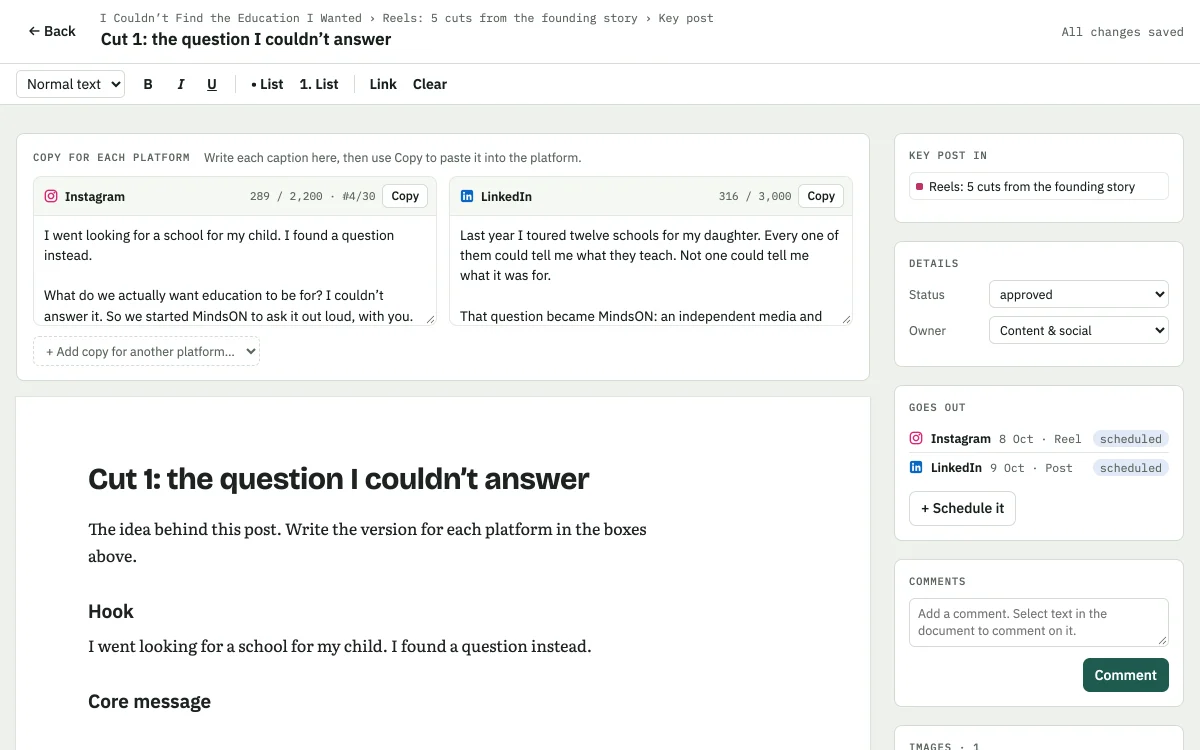
Write it once, post it everywhere.
A social campaign holds its key posts: one idea each, written in its own document, then scheduled on Instagram, LinkedIn, Facebook, TikTok, YouTube or Reddit.
- A caption box for each platform, with live character counts
- Copy a caption straight into the app you post from
- Images kept with the post, ready to download
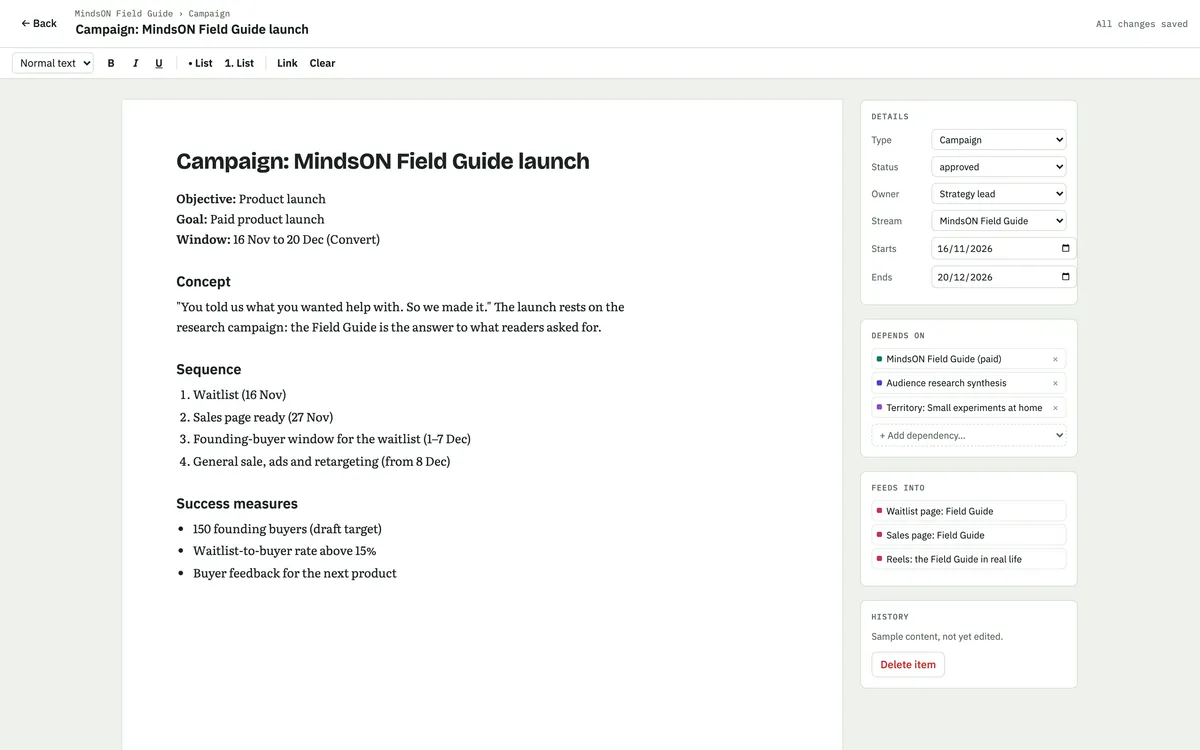
Every box is a working document.
Click any item and write in it: the campaign brief, the reel script, the email sequence, the automation rules. The strategy and the work live in the same place.
- A simple editor that feels like Google Docs
- Version history, so nothing is lost
- Save any document as the starting template for its type
Two or three people, one shared picture.
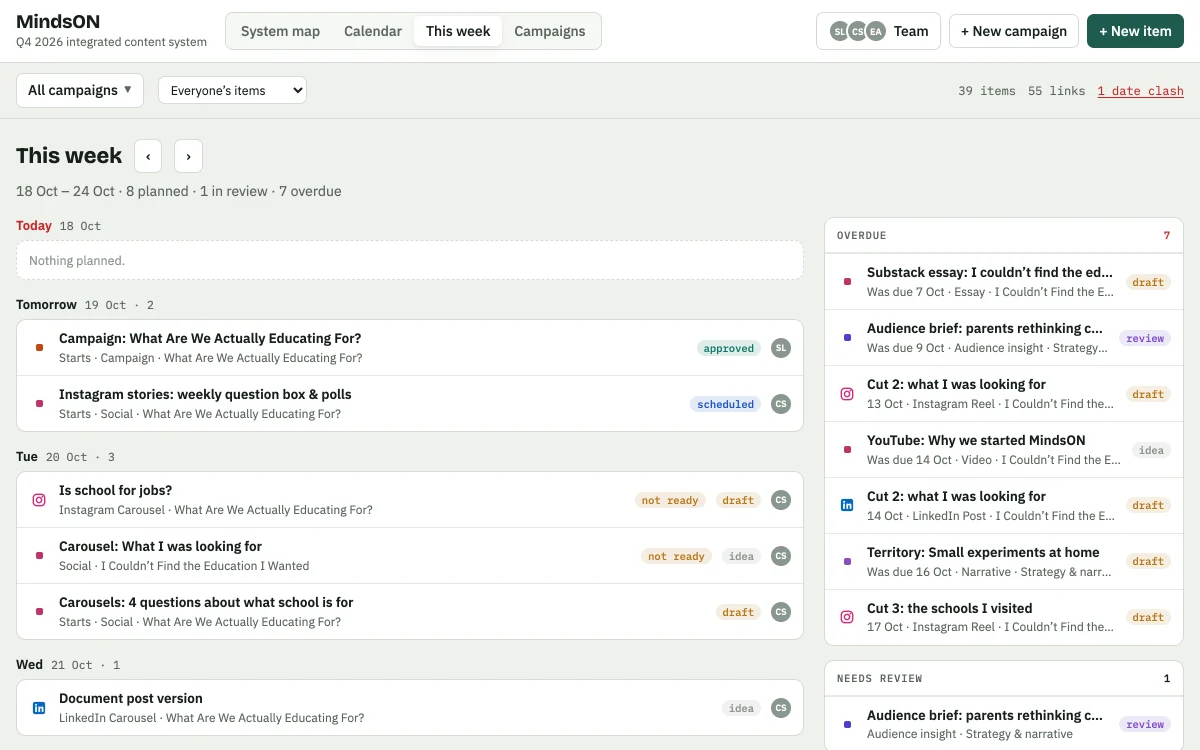
Each person claims a seat and owns their items. Comment on any line, ask for a review, and see what needs you this week.
- Comments on the exact text they’re about
- Review requests by email, with Approve or Send back
- A Monday email with what’s going out, in review and overdue
Start free. Upgrade when your team does.
Solo
For one person getting their marketing out of their head.
$0 forever
- 1 map
- System map, calendar and docs
- Key posts with a caption for each platform
- Dependency and clash warnings
Team
For small teams who need to see the whole system together.
$9 / month
billed $108 a year · save 43%
- Everything in Solo
- Up to 3 people, with team seats
- Unlimited maps
- Live collaboration, comments and review requests
- A Monday email with your team’s week
- Monthly community check-in with other content marketers: the projects you’re running, what’s working, and what you’re up to, not just the app
Built with Regen Studio
For teams who want the strategy done with them, and a system built around their tools.
Custom
- Team plan included
- Strategy and narrative sprint
- Your first quarter mapped with you
- Quarterly review sessions
- A custom dashboard with integrations to the apps you already use, like your email platform, social channels and analytics
Non-profit or grassroots organisation? It’s free.
If you’re a non-profit, a community group or a grassroots organisation, you can use Content System Map for free. Get in touch and tell us a little about your work.
The Team plan costs less than a single boosted post each month.
Good questions.
Is this another project management tool?
No. Project tools track tasks. Content System Map shows how your marketing fits together: why each piece exists, what it depends on, and what it leads to. You can still use your task tool for the to-do list.
Does it publish my posts and send my emails?
Not yet. Today it's where you plan, write and connect everything. You still publish in Instagram, YouTube, Substack and your email tool. Publishing and email sync are on the roadmap.
Do I need a strategy before I start?
No. A new map starts with your quarter objectives and a short guide. Add a campaign for each course with two dates and the plan is laid out for you. Filling in the strategy and story as you go is how you build your strategy.
How is it different from Notion or a spreadsheet?
You could build something like it in Notion, and many people try. Content System Map comes with the structure already built in: seven layers, links between items, a calendar with dependency warnings, and review loops.
Can I use it with clients?
Yes. That's how Regen Studio uses it. Build the map with your client, then hand it over for their team to run. Dedicated client workspaces are on the roadmap.
What if I'm a team of more than three?
The Team plan is designed for up to three people, because that's where it works best. If you're larger, or you want the map connected to other apps you use, Regen Studio can build a custom setup around your team. Book a call and we'll talk about what you need.
Stop starting from zero every launch.
Join the early-access list. We’ll send you a few short emails on how the system works, and let you know as soon as your seat is ready.